The headset suddenly goes black during use, or stays black with no image at all. How should I troubleshoot this?
Print
Modified on: Tue, 3 Nov, 2026 at 4:47 PM
A: Please check the following steps one by one:
Check device connections: Make sure the cable connecting the VR device to the PC is properly plugged in. If it is loose or damaged, replug or replace the cable.
Check power status: Check whether the VR device's power indicator is on, and make sure it is connected to power and turned on.
Adjust the screen-off timeout: Extend the screen-off timeout setting and see whether this resolves the issue.
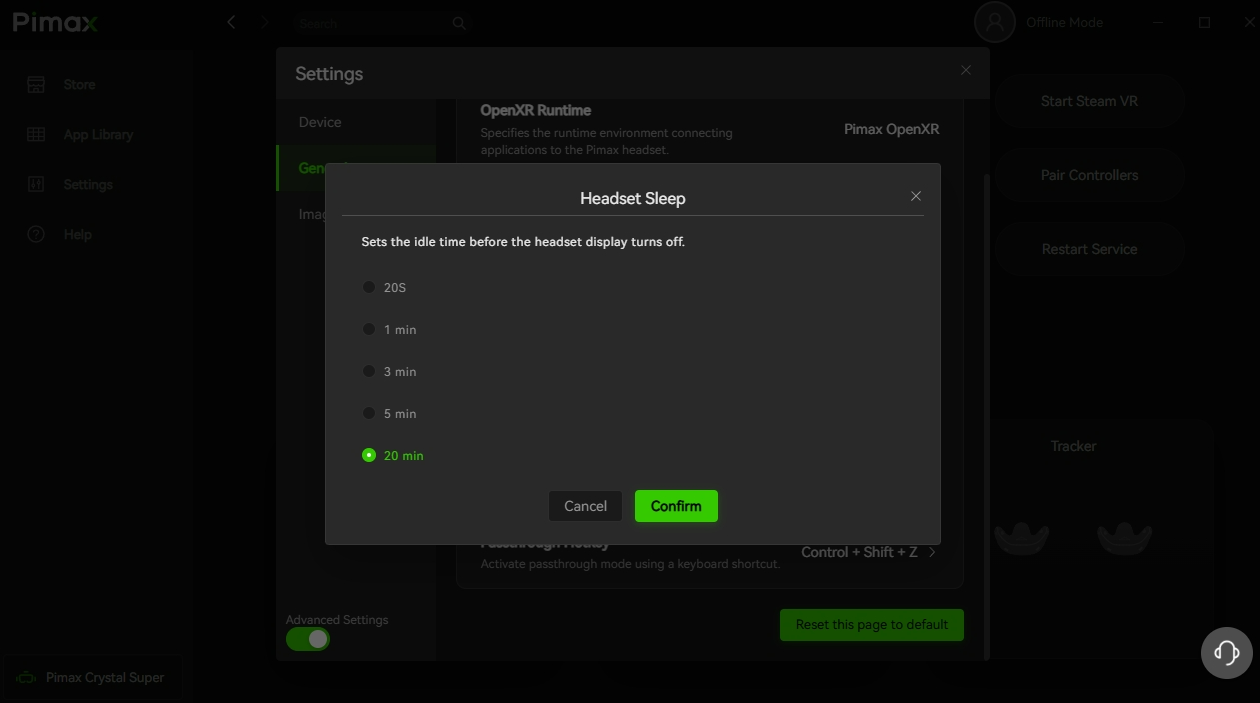
Check headset status in the client: If Pimax Play shows the headset as not awake / not tracked, press the headset's power button to wake it, or put on the headset to complete tracking and check whether the screen turns on.
Check the graphics driver: Confirm the graphics driver is correctly installed, and perform a clean installation with DDU if necessary.
Check entitlement issues: If the headset's power indicator is red, check your entitlement details to see whether the trial period has expired.
Confirm entitlement status: Check whether the device entitlement status shown in Pimax Play is normal.
Did you find it helpful?
Yes
No
Send feedback Sorry we couldn't be helpful. Help us improve this article with your feedback.
