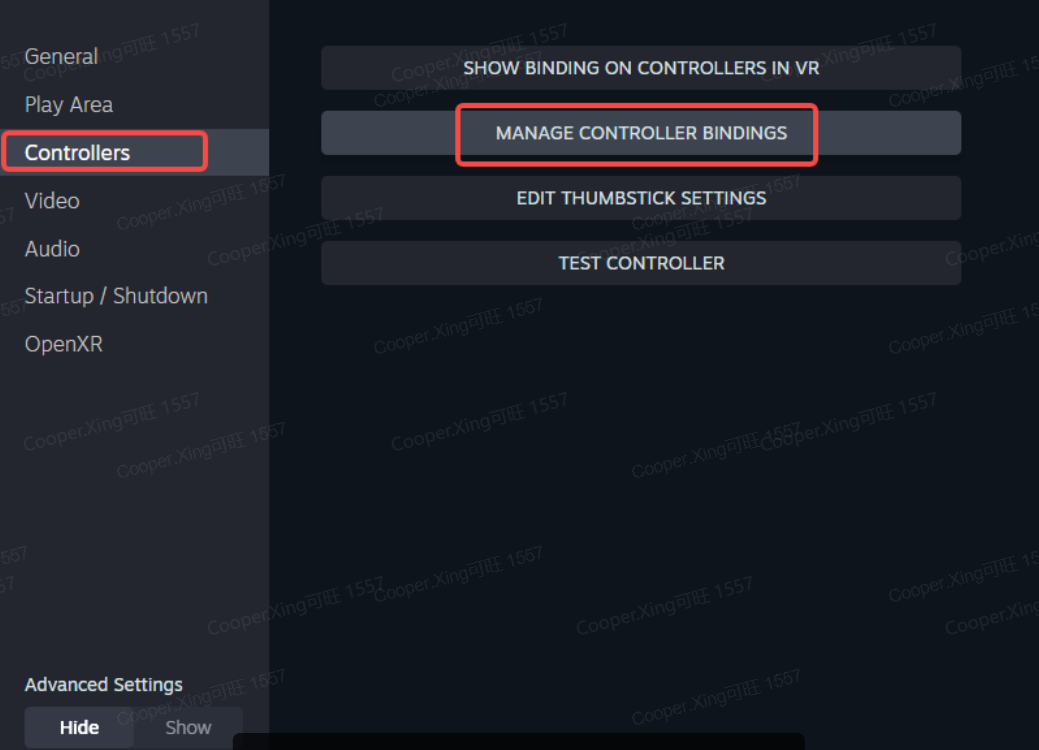
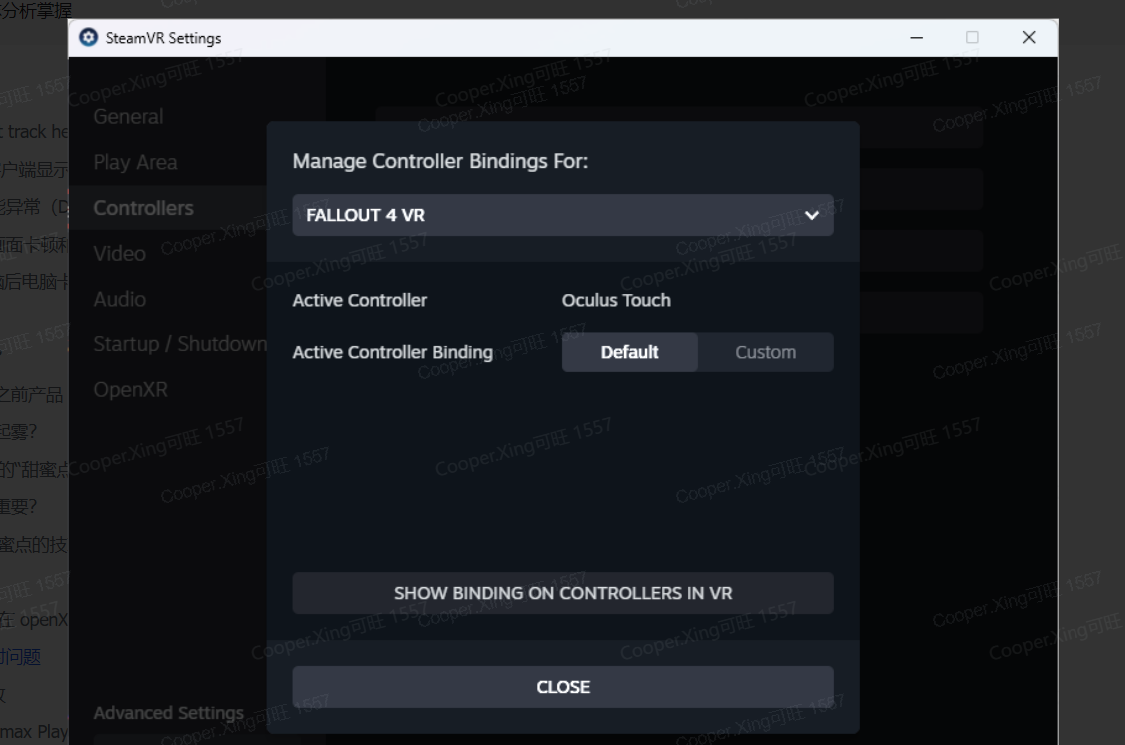
Regarding the grip button mapping issue you encountered, this is typically a software configuration problem that can be resolved through calibration or reset. Please try the following steps:
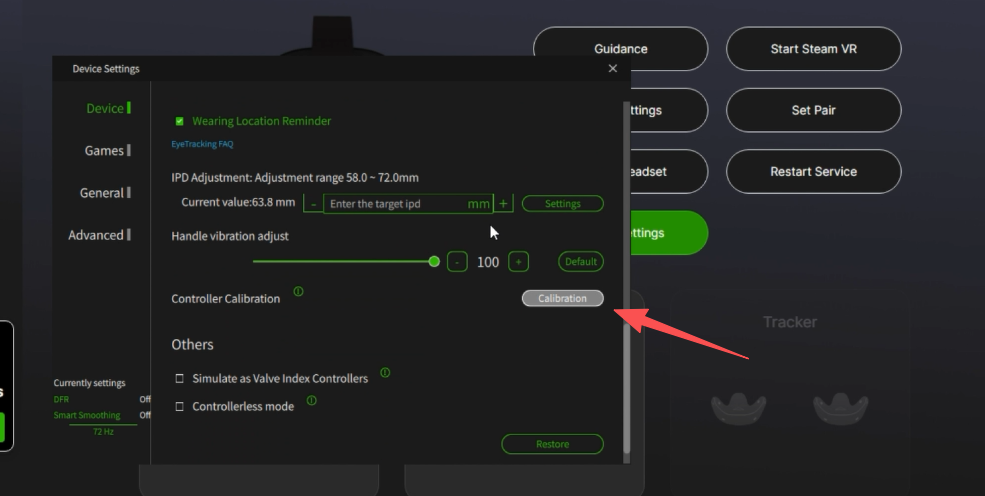
2.Calibrate the controllers: Open the Pimax Play client, navigate to Headset Settings → Devices → Controller Calibration , and follow the prompts to complete the calibration process.
3.Click the title button in the top-left corner to bring up the menu, then select Settings.
4.In the left-hand menu, choose Controller, then select Manage Controller Bindings on the right. You can then configure different controller button mapping strategies for multiple games.
After configuration, use the Test Controller button to verify button mappings are active.