How do I properly wear the Dream Air headset to get the best clarity?
Print
Modified on: Tue, 3 Nov, 2026 at 5:02 PM
A: Please follow these steps:
Step 1 — Wear it correctly
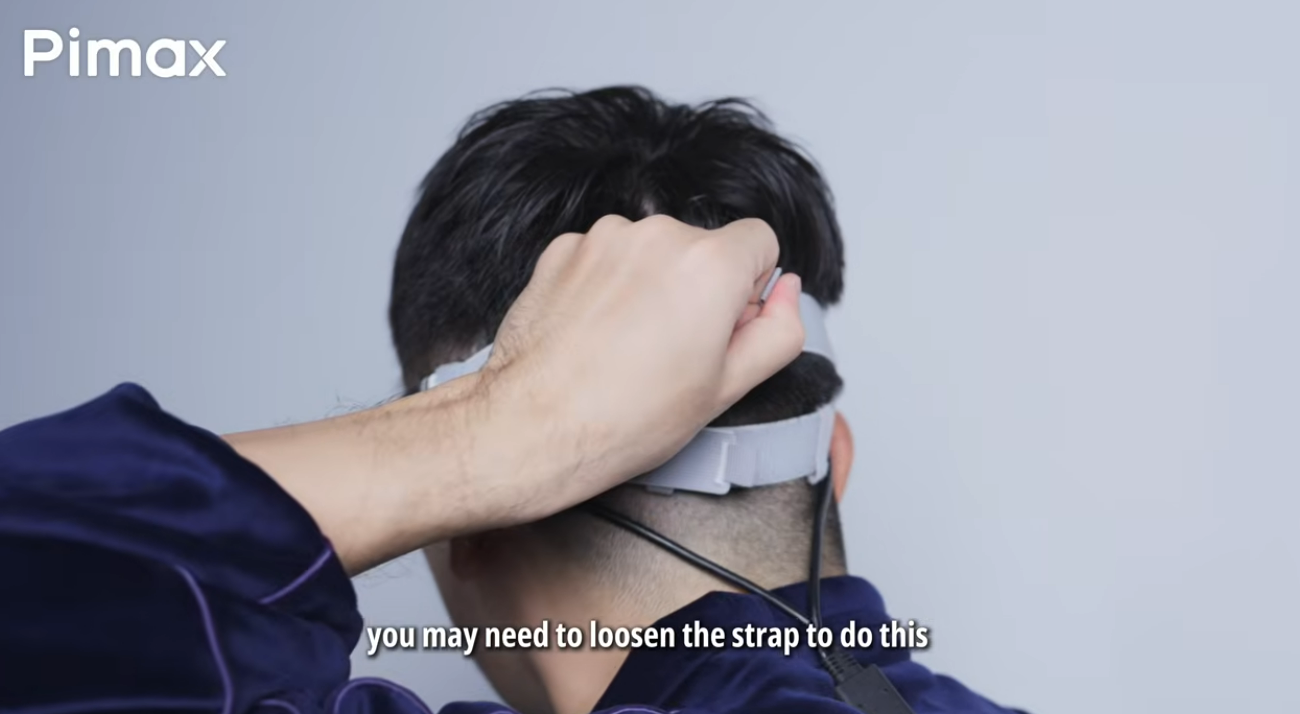
Loosen the strap first, put on the headset, then gradually tighten it until it is secure without feeling tight. Let the rear padding rest against the back of your head (below the occiput), and let the top strap carry most of the weight—this helps avoid pressure on your face and hair getting caught. For the Dream Air, you can also slightly adjust the folding angle of the temples/arms to fit your head shape.
Step 2 — Find the sweet spot
Gently hold the headset and slowly move it up and down, left and right, and forward and back. Close one eye and use the other to find the clearest central area, then repeat with the other eye. Adjust until both eyes see a clear, distortion-free image. You can also try tilting the headset slightly up or down to change how it sits on your face.
Step 3 — Check IPD
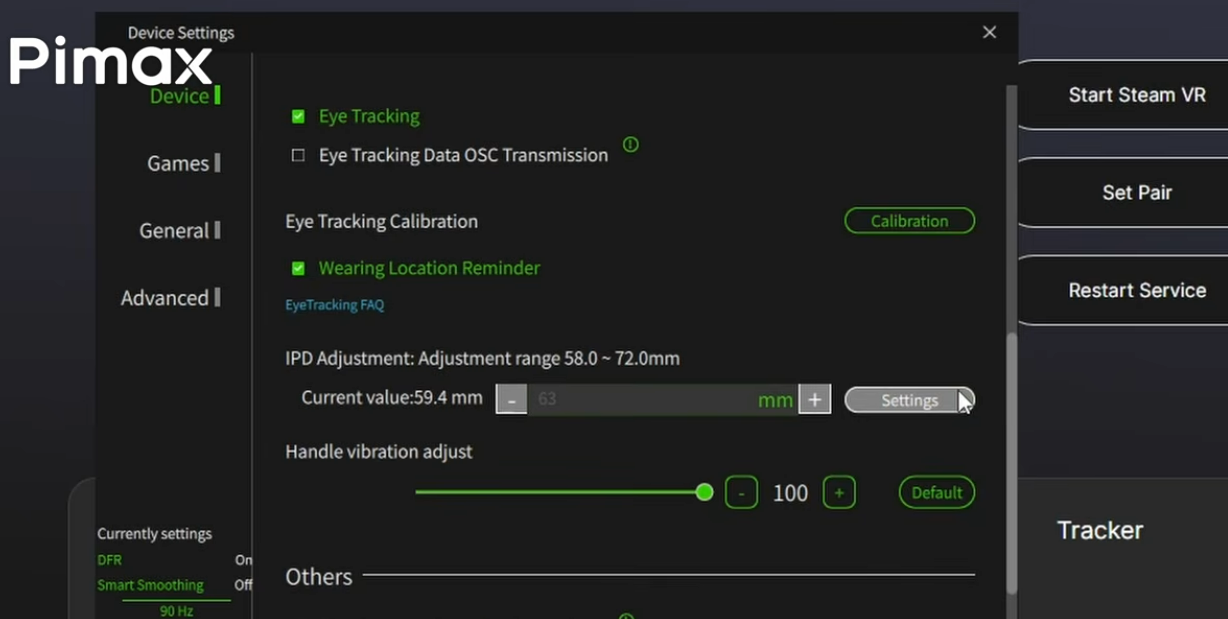
Enter the IPD value in Pimax Play (manually fine-tune based on your measured IPD). Adjust until the edges are clear with no ghosting or blur.
Step 4 — Verify
Checking text in Pimax Home or SteamVR Home rather than in a game—text makes it much easier to judge clarity.
Video tutorial: https://www.youtube.com/watch?v=gatwWW0boDs
Did you find it helpful?
Yes
No
Send feedback Sorry we couldn't be helpful. Help us improve this article with your feedback.
