What should I do if I cannot complete registration or bind a device to my Pimax Play account?
Print
Modified on: Tue, 3 Nov, 2026 at 5:03 PM
A: Please troubleshoot based on the specific situation:
Case 1: The device does not appear under "My Devices"
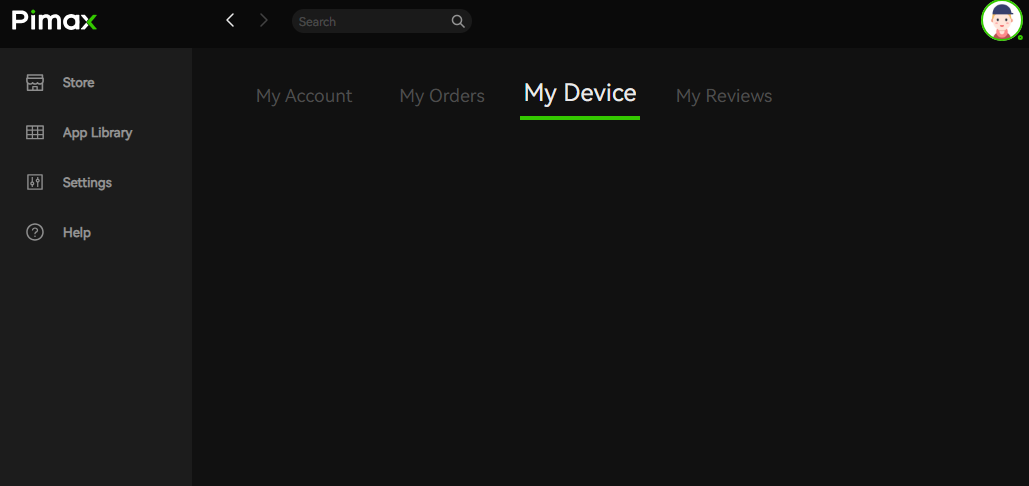
Make sure you are logged in to the correct Pimax Play account that is bound to the headset, and that the network is stable.
Turn off VPN / proxy / network accelerators, then fully restart Pimax Play.
Check whether the device is already bound to another account. If so, log in to the account with Pimax Play 2.0 or later to unbind it (Account Center → My Devices).
Case 2: No verification code received when creating an account
Check your email's Spam / Promotions / Other folders—the the verification code may have been filtered there.
If your current email provider cannot receive our emails, try registering with a commonly used email service (Gmail, Outlook).
If you have requested the verification code multiple times in a short period, wait 10–15 minutes before trying again (rate-limit protection).
Case 3: "Account or password incorrect" when logging in to Pimax Play
Confirm the account email is spelled correctly (watch for leading or trailing spaces).
Reset your password via "Forgot Password" on the login page and try again.
If the error persists, provide your registered email and a screenshot of the error message, and contact Pimax Customer Support to check your account status.
Did you find it helpful?
Yes
No
Send feedback Sorry we couldn't be helpful. Help us improve this article with your feedback.
