
If you see this page after connecting your headset, please don't panic. This issue is typically related to unstable data transmission or connection problems. Please follow the troubleshooting steps below in order.
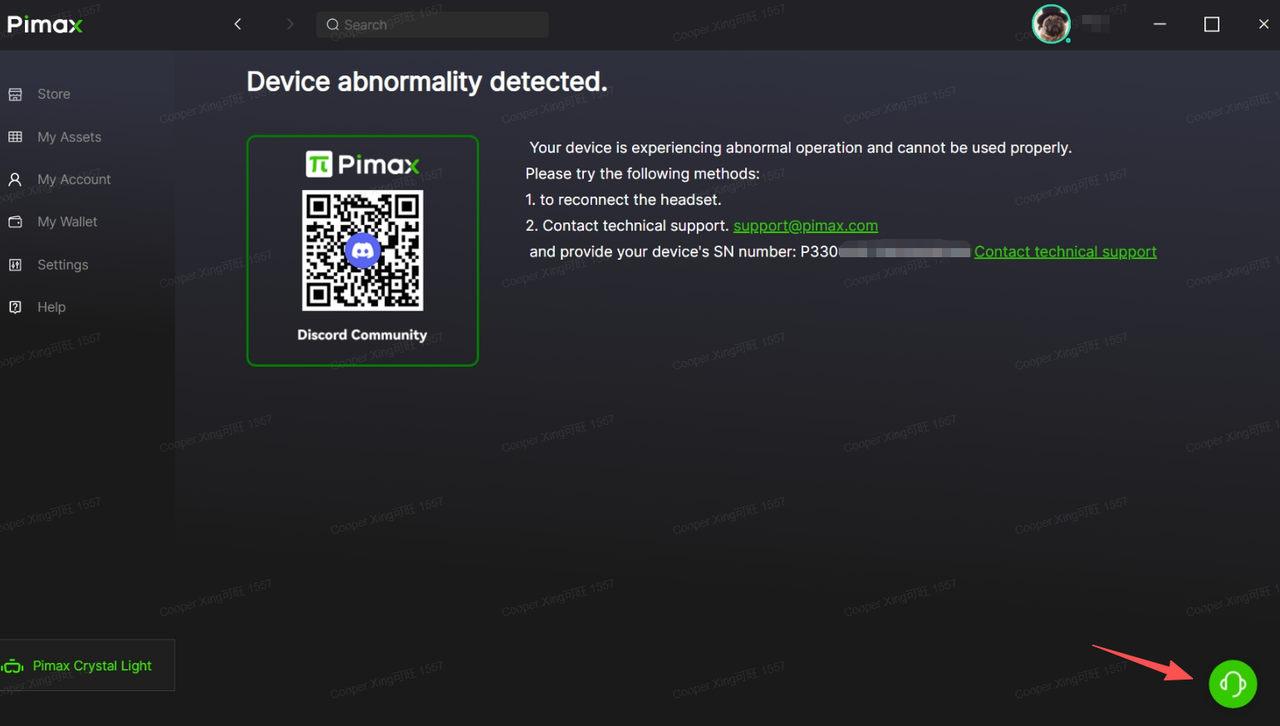
Step 1: Basic Troubleshooting
Reconnect the device: Fully disconnect the headset from your computer, wait 30 seconds, then firmly reinsert all cables.
Change the USB port: Be sure to use a USB 3.0 (or higher) port located directly on the motherboard. Avoid using front‑panel ports, extension cables, or hubs, as these may provide insufficient power or unstable signal transmission.
Step 2: Contact Technical Support
If the issue persists after completing the basic troubleshooting steps above, please contact our technical support team immediately.
Preferred method: Reach us instantly via the "Online Chat" feature within the Pimax Play client, or submit a technical support ticket.
When contacting us, please be sure to provide the following key information:
Device Serial Number: You can find it on the underside of the headset.
Detailed description of the issue.
All troubleshooting steps you have already tried.
Providing complete information will help us identify the root cause of the problem more quickly and provide you with a solution.